How to check that a deployed token is real
“Real”, on this page, means one narrow thing: the contract at this address, on this network, is the deploy you signed. It does not mean a price, a pool, a listing, or a review of the project. This is not financial advice.
The usual miss is a name. Two contracts can share a name. The wallet, the chat, and a swap screen can all show that name. The check is the network plus the address, then the fields you signed. If you have not deployed yet, the ten-point path is how to launch a token step by step. Which of the five live networks you sign on is how to choose a network.
What has to match
Four things, and they have to be the same story. The network. The contract address. The name, symbol, decimals, and supply you signed. The transaction in the wallet that signed.
There is no testnet. A deploy is on Ethereum, Polygon, BNB Chain, Arbitrum, or Base, and the transaction is final. The service fee is $6 on Ethereum and $3 on the other four. It is not refundable. Gas is extra, shown in the wallet when you sign. Neither fee is a certificate, and neither one sets a price.
The public page
A deployed token has a public page. The path is /en/token/{chain}/{address} and /ru/token/{chain}/{address}. The chain slug is eth, polygon, bnb, arbitrum, or base.
Read the network, the contract address, and the supply. The page also shows the creation transaction, and whether the explorer has published source. The line under the facts says the source of those facts: the TokenCreated event from the Constructor factory, and the transaction receipt. The page is not a price and it is not a listing. A deploy can take a few minutes before that page opens. Keep the transaction hash and try the address again. A short wait is not a missing contract.
The contract line names the code that was deployed. On a standard token, “no mint, pause, or fee” is a property of that code. It is not a review of the project. If the page lists owner functions, those functions are in the code. Read them. Do not treat the page as an endorsement.
The explorer for that network
Open the contract address on the explorer of the network you signed. An Ethereum address opened on Polygonscan is a different place. ETH on Ethereum, ETH on Arbitrum, and ETH on Base share a ticker. They are not the same network.
| Network | Explorer | Chain in the page path |
|---|---|---|
| Ethereum | Etherscan | eth |
| Polygon | Polygonscan | polygon |
| BNB Chain | BscScan | bnb |
| Arbitrum | Arbiscan | arbitrum |
| Base | Basescan | base |
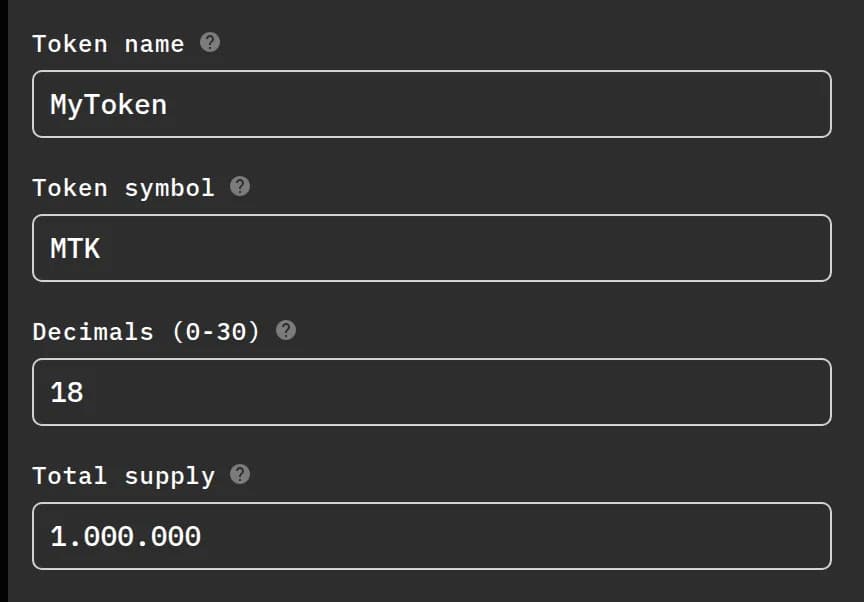
On the explorer, compare the name, the symbol, the decimals, and the supply with what you signed. The chain stores the supply in whole units. A wallet divides by 10 to the power of the decimals before it shows a balance. If the raw number and the wallet number disagree, check the decimals before you call one of them wrong.
Also read who received the supply. On the standard form, that address starts as the wallet that signs. It is the recipient of the supply. It is not a promise that the same address can mint again.
Two code checks, and they are not the same
Built on OpenZeppelin Contracts v5; factory source code is verified on Sourcify; no independent audit. Sourcify verification means the factory’s published source matches the code on the network. It says nothing about the purpose of your token. The risk stays with you.
The token contract is a second check. After you sign, the create flow can download the Solidity source: the contract file, a flattened copy for the explorer, and the compiler settings for that deploy. The settings are in the download. This page does not restate them, because they are not one set of switches on every network.
Publishing that source on the explorer is optional. On the public page, the creator of a standard token can send it with an Etherscan API key. You create the key yourself. It stays in this browser. The product sends it to the explorer and does not store it on the server. One key works for Ethereum, Polygon, BNB Chain, Arbitrum, and Base. An extended token uses the link to that network’s explorer instead of that button.
“Published” means anyone can read the source. It is not a review of the project. “Not published” means the explorer is not showing readable source yet. The contract can still be the one you deployed. Go back to the transaction, the network, and the address.
Checklist after you sign
- In the wallet that signed, save the transaction hash, the contract address, and the network name together.
- Confirm the wallet is on that network. A shared ETH ticker is not a shared balance.
- Open the public page and read the network, the address, and the supply.
- Open the same address on that network’s explorer. Compare name, symbol, decimals, and supply.
- Read who received the supply. On a standard deploy it is the address you signed.
- Optional: publish the token source. A code match is not a review of the project.
- Add the token in the wallet by that address, on the same network. Do not trust a search by name.
- If you tell people, send the network and the address. Do not send a future price.
Where to go next
The other guides are on Learn. The path from the purpose sentence to the address is how to launch a token step by step. The five networks, the service fee, and the gas coin are in how to choose a network. What a stranger can check on that address is in how to make people trust your new token. What to do after the address exists — a use, a community, and a pool you open yourself — is in what to do after you deploy a token.
The live network pages:
When the sentence, the network, and the two fees are decided, open the form.
FAQ
Does the public page mean the token has a price or a listing?
No. The page shows the network, the contract address, and the supply. It can also show the creation transaction and whether the explorer has published source. It is not a price, a pool, or a listing.
Is the Sourcify check the same as the explorer check?
No. Sourcify is a match for the factory’s published source and the factory code on the network. The explorer check is about your token contract. Built on OpenZeppelin Contracts v5; factory source code is verified on Sourcify; no independent audit.
Has there been an independent audit?
There has been no independent audit. A published token source means anyone can read that source. It is not a review of your project. The risk stays with you.
The explorer says the source is not published. Is the token fake?
Not by that line alone. The contract can exist before anyone publishes source. Start with the transaction in the wallet that signed, the network, the address, and the public page. Publishing source is optional. A published source is still not a review of the project.
Why does the wallet show no token?
Add the token by contract address, with the wallet on the same network. A search by name can be a different contract. Until you add the address, the wallet can show nothing even though the supply sits on the contract.
Is this address the same token on another network?
No. The address works on the network you signed. Another network is another contract: another signature, another service fee, another gas payment, and another address.
Does the $6 or $3 service fee prove the token?
The service fee is $6 on Ethereum and $3 on Polygon, BNB Chain, Arbitrum, and Base. It is the product’s charge for that deploy. It is not refundable, and it is not a certificate. Gas is separate and moves. This page does not quote gas in dollars.
Someone asks for my seed phrase to verify the token. Is that Constructor?
No. Constructor does not ask for the seed phrase. A private message that asks for the phrase is not the product. Do not type the phrase into a site or a chat.
Future Constructor is a technical tool. It deploys a standard ERC-20 from your own wallet on Ethereum (service fee $6) or on Polygon, BNB Chain, Arbitrum and Base (service fee $3). Network gas is extra and changes. The contracts use OpenZeppelin Contracts v5.4.0 and have not had an independent audit. Nothing on this page is financial, investment, or legal advice. You are responsible for the token’s purpose and for the laws that apply to you. Service fees are non-refundable. Transactions are final.