How to launch a token step by step: a 10-point checklist
A deploy can take a few minutes. The costly part is the wrong network, a supply you cannot edit later, a pool you do not understand, and a promise your community heard and you cannot keep.
This map does not say whether a token is a good idea, and it does not say what the token will be worth. A search for how to launch a token, or how to create a crypto token step by step, usually stops at the button. The button creates a contract on one network. It does not create a price, a listing, or a market. What to write down before that button — the audience, the documents, launch day, and the first four weeks — is in how to make a launch plan for your token.
What “launch” includes
An ERC-20 here is a standard token: a name, a short symbol, and a fixed supply (how many tokens exist). You do not write the contract. There is no testnet, so the button is on a live network. The functions, the decimals, and what stays fixed are in what an ERC-20 token is.
| Stop | What happens | Who does it |
|---|---|---|
| 1. Idea | Who holds the token, and what they can do with it | You |
| 2. Network | One of five live networks | You choose it. The product deploys there |
| 3. Deploy | The standard token, signed in your wallet | You, in the product |
| 4. Swap | A pool on a swap site, if you want swaps | You, on that site |
| 5. Listing | A catalog or exchange application, if you send one | You. The product files nothing |
| 6. Keys | Wallet and seed phrase | You |
| 7. Mistakes | Wrong network, a fee you cannot reverse, a price question | You |
After the button
You leave with a contract address on one network. A deployed token has a public page with the network, the contract address, and the supply. That page is not a price and it is not a listing. The path is /en/token/{chain}/{address} and /ru/token/{chain}/{address}. The swap and the catalog stay with you.
One sentence before any wallet
Write who holds the token, and what they can do with it. Access, points, a meme, or an experiment can fit. The form is the same: you set the name, the symbol, and the supply.
If the sentence is “the price will go up”, rewrite it. The tool does not support a price promise.
The sentence names the first person, not a price. How that person receives the token is in how to get the first holders for your new token.
The wallet and the two fees
Use a wallet you control. MetaMask is a common one. The supply lands on the wallet that signs. Constructor does not hold that wallet.
Before you open the form, that wallet needs the network’s own coin. Without it, gas cannot be paid and the signature does not go through.
The seed phrase is the list of secret words that recovers the wallet. Constructor does not ask for it. A private message that asks for the phrase is not the product. Do not type the phrase into a website.
Pick one network. The five are Ethereum, Polygon, BNB Chain, Arbitrum, and Base. If you are still choosing, open the live page for that network:
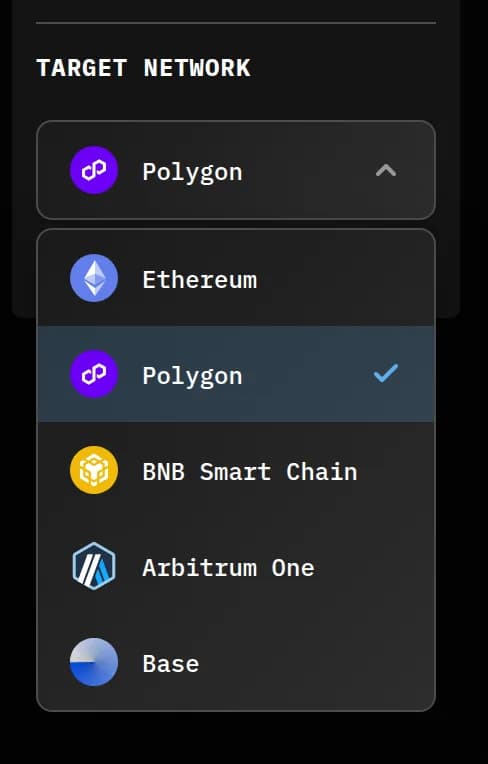
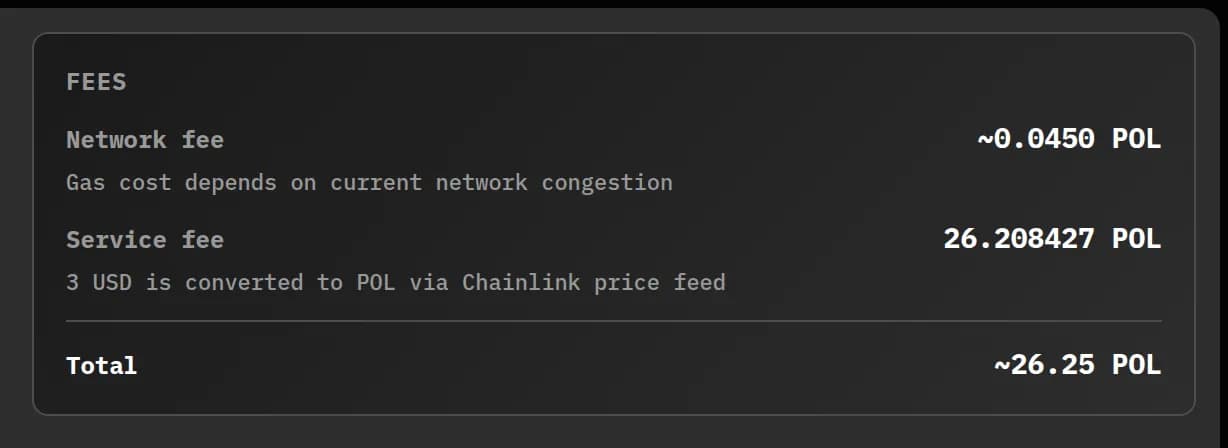
You pay two different things. The service fee is $6 on Ethereum and $3 on Polygon, BNB Chain, Arbitrum, and Base. It is not refundable. Gas is extra: the network’s own fee, shown in the wallet when you sign, paid in that network’s coin (ETH on Ethereum, Arbitrum, and Base; POL on Polygon; BNB on BNB Chain). A $3 fee is still a live-network deploy, and the transaction is final. Name, symbol, and supply stay as you sign them.
What Constructor does, and what it leaves out
Future Constructor deploys that standard ERC-20 from your wallet on the network you picked.
The token contracts are built on OpenZeppelin Contracts v5. Factory source code is verified on Sourcify. That is a match between the factory’s published source and the code on the network. It is not a review of your token, and it is not a security review. There has been no independent audit. The risk stays with you.
Outside the product: a pool, a freeze on the tokens that represent a pool, a sale that collects money before launch, and a handover of admin rights. A second network is a second contract. Add the token by address with the wallet on the same network. Checking your token’s source in a block explorer is optional and uses a key you get from that explorer. A code match is not a security review. On Base and Arbitrum the swap screen people usually mean is Uniswap. That habit is not a button in Constructor.
Checklist: launch the token step by step
- Write the one-sentence purpose. If it is a price promise, rewrite it.
- Pick one of the five live networks. There is no testnet.
- Separate the service fee from gas: $6 on Ethereum, $3 on the other four. Gas is extra.
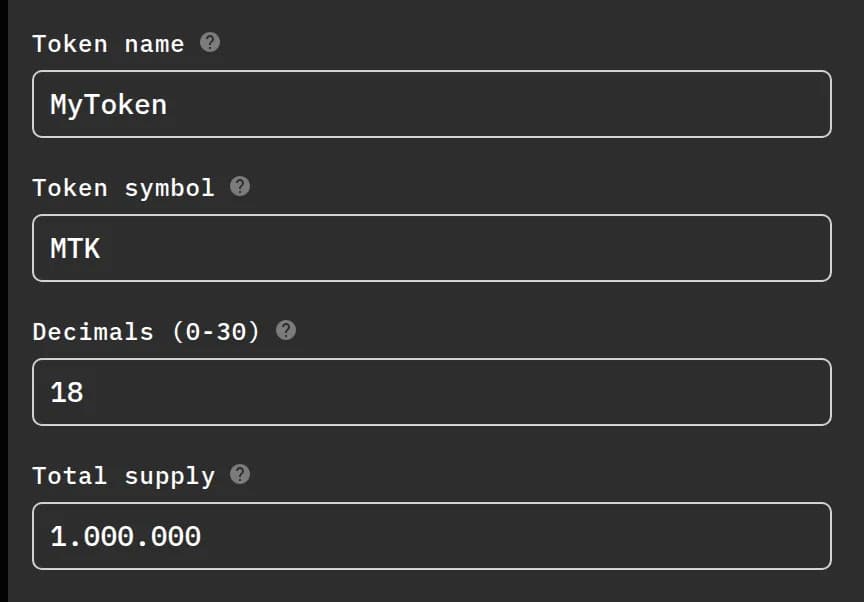
- Name, symbol, supply. Assume you cannot edit them later.
- Deploy from your wallet. Nobody should ask for your seed phrase.
- Save the contract address and the network name together. The public page shows those and the supply.
- Add the token to the wallet by contract address, on the same network.
- Optional: check the token source on the explorer with your own key. The steps are in how to check that a deployed token is real. A code match is not a security review.
- A pool is a separate step on a swap site. It needs two coins. You choose the size. Liquidity basics, and the rest of the work after the address exists, are in what to do after you deploy a token.
- Tell people the mechanics. Do not tell them a future price.
What a stranger can check before taking your word is in how to make people trust your new token.
Open the form
When the sentence, the network, and the two fees are decided, open the form and create the token.
Next: choose a network. Each page above opens one of the five live networks.
FAQ
What do I do after the token is created?
Save the address and the network. The public page shows those and the supply. It is not a price and not a listing. Add the token in the wallet on that same network.
Why are there two charges?
The service fee is $6 on Ethereum and $3 on the other four, and it is not refundable. Gas is separate, shown at signing, paid in the network’s coin.
What if my wallet is empty?
Put the network’s coin in before you sign. There is no testnet, and the transaction is final.
Who can ask for my seed phrase?
You hold the keys. Constructor does not ask for the seed phrase. A private message that does is not the product.
Can I edit the token or hand admin rights to someone?
Name, symbol, and supply stay as signed. This form does not hand admin rights to another wallet.
Has there been an independent audit?
There has been no independent audit. The token contracts are built on OpenZeppelin Contracts v5. Factory source code is verified on Sourcify. The risk stays with you.
Is the token listed or tradable after deploy?
Deploy creates the contract. A pool, a catalog, and an exchange application are steps you take yourself.
Is this legal where I live?
You are responsible for the purpose and for the laws that apply to you. This page is not legal advice.
Future Constructor is a technical tool. It deploys a standard ERC-20 from your own wallet on Ethereum (service fee $6) or on Polygon, BNB Chain, Arbitrum and Base (service fee $3). Network gas is extra and changes. The contracts use OpenZeppelin Contracts v5.4.0 and have not had an independent audit. Nothing on this page is financial, investment, or legal advice. You are responsible for the token’s purpose and for the laws that apply to you. Service fees are non-refundable. Transactions are final.